

AI video editor improve workflow efficiency
Producing video is a labor-intensive and time-consuming process. AI video editors streamline the workflow with automated features, allowing the user to focus on creativity. Time-consuming tasks like clip trimming and color correction can be streamlined with AI. Other tools such as object tracking, audio syncing, and stabilizing shaky footage help achieve a polished video
Many video editing tasks can take up a large amount of time and energy when done manually. These tasks include organizing footage, using filters and effects, and making adjustments to audio. An AI Video Editor can streamline these processes, allowing editors to focus on more creative tasks. This can also help to reduce the fatigue associated with these processes.
For example, using an AI video editor can make it easy to organize footage by automatically analyzing it and sorting it into separate folders for different clips. AI tools can also help to save time and resources by finding royalty-free images or clips for use in videos. They can also streamline the process of adding text and captions to videos by automatically generating them. They can also be used to automate color grading, eliminating the need for manual adjustment. They can also be used to perform background removal, allowing video creators to easily replace or adjust backgrounds in videos without needing a green screen.
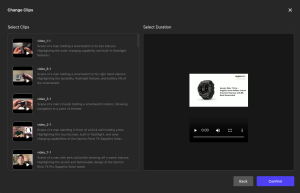
How does an AI video editor improve workflow efficiency?
However, the key to success with AI video editing is maintaining a balance between automated functionalities and artistic instincts. It is important to always check over and edit suggestions from AI algorithms to ensure that the final product reflects what was originally envisioned. This will ensure that the end result is not only more efficient but also high-quality and visually appealing. AI video editing tools can automate tasks like clip trimming, color correction, and other time-consuming processes. This allows you to spend more time on the creative aspects of your video. This can help you create videos that are more polished, consistent, and engaging.
AI-powered tools can also automatically crop or resize footage to fit specific platforms and screen sizes without sacrificing visual integrity. Additionally, they can optimize resolution and codecs to ensure the best playback experience on all devices. This saves you the hassle of manually adjusting files and can help your content reach a wider audience.
Other automated features that AI video editing tools provide include voice or text transcribes, captioning, and audio enhancements. These can be used to make videos more accessible to people with limited or no sight. This is important for many businesses that need to produce content for a diverse group of users. Another advantage of AI video editing is its ability to analyze scenes and identify the most compelling elements. This can be useful for creating a more focused video, particularly when you need to condense lengthy videos. It can also be helpful for enhancing the emotional impact of your video. It can highlight key moments or accentuate the most powerful dialogue and ensure that the video is aligned with your messaging and goals.
An AI video editor can offer real-time feedback to its user, allowing them to check whether their edits meet their creative intent. This can make the difference between a video that flops and one that’s well-received by its audience. Whether it’s trimming down long speech segments, cutting out filler words like “ums” and “ahs,” or removing unnecessary pauses, Tiktok ADS Library software can do the work for you. This saves you time and effort, and it allows you to focus more on storytelling and other features that sweeten a video.
Another benefit of AI video editing is that it helps you maintain a consistent look and feel for your videos. By using an AI video editing tool that can recognize and follow brand guidelines, you can ensure your videos have a cohesive style and tone.
AI tools can also help streamline post-production tasks by generating transcripts, managing color levels, adjusting audio, and eliminating background noise. These tools can help you save time and money by streamlining some of the less-important tasks involved in video production, which is a boon for small businesses and content creators on a tight budget. This can be especially useful when creating content for social media, as these platforms often have a strict limit on the length of a video. This can also reduce the need to hire a professional team or invest in expensive equipment such as green screens and cameras.
Using an AI video editor streamlines numerous tasks, from transcription and captioning to color correction and video stabilization. These features can significantly reduce the amount of time editors need to spend on mundane tasks and free them up for more creative work.
AI video editing tools can help editors create a finished product without compromising on quality. Aside from automated processes, AI editing software also offers an array of convenient features that allow users to customize their videos. For example, AI software can generate a script by simply analyzing footage and based on the intended tone, audience, or objective. It can also edit the script and adjust its length. Furthermore, it can even add or remove text if needed. Moreover, it can sync the music with the video and automatically adjust audio levels to match the content.
Another advantage of AI video editing is that it allows editors to assemble a rough cut faster. This means that the video can be edited and finalized in less time, allowing editors to meet deadlines. In addition, some AI editing tools offer real-time feedback on camera recordings to improve the clarity and engagement of a video. For instance, it can automatically transcribe speech, filter profanity, and detect silences that are 3 seconds long or more. It can even clear awkward or unnecessary words with a bulk deletion feature, eliminating filler words such as “uh” and “um.” This makes editing easier and more efficient.